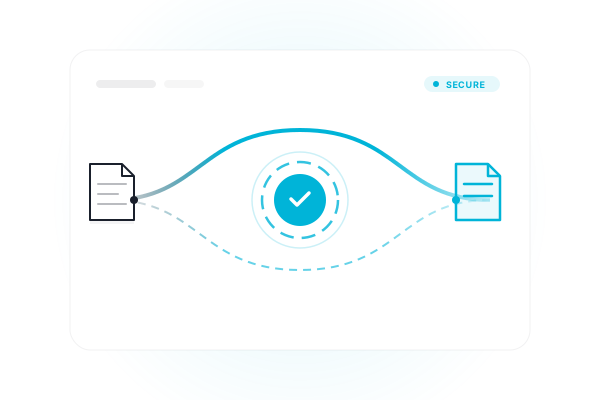
Your files never leave your device.
Merge, split, rotate, and convert PDFs right in your browser tab. No upload, no waiting on a server queue, no account — just open a tool and drop your file in.
Merge, split, rotate, and convert PDFs right in your browser tab. No upload, no waiting on a server queue, no account — just open a tool and drop your file in.
Combine multiple PDFs into a single file, in the order you choose.
OrganizePull a page range out, or break a PDF into one file per page.
OrganizeRemove specific pages from a PDF and download the rest.
EditFix sideways or upside-down pages, individually or all at once.
EditStamp text across every page — great for drafts and confidential docs.
EditNumber every page in a corner you choose, starting wherever you like.
ConvertTurn a batch of JPG or PNG photos into one clean PDF.
ConvertExport every page as a high-res PNG, zipped for download.
ConvertTurn a .docx file into a PDF, keeping headings, tables, and images.
ConvertRebuild a PDF's text as an editable .docx file — no account needed.
OptimizeShrink file size by re-encoding embedded images.
Govt ExamsFit your photo and signature to the exact KB and pixel size UPSC, SSC, and IBPS require.
Every tool on this page runs inside your browser tab, not on a server you have to trust. Here's what that gets you.
Processing starts the instant you drop a file — there's no server round-trip to wait on.
Payslips, contracts, ID scans — your document is read by your browser, not stored on anyone's disk.
No page limits, no daily caps, no account wall. Use it as many times as you need.
Yes, on this site specifically — your file is processed by JavaScript running inside your own browser tab. It is never uploaded, transmitted, or stored on any server. You can confirm this yourself by disconnecting from the internet after the page loads; every tool still works.
No. There's no signup, login, or email required for any tool on this site.
No artificial caps. The only limit is your device's own memory and processing power, since everything runs locally rather than on a server with a quota.
Those services upload your file to their servers to process it, then send back the result. This site does the same operations — merge, split, convert, compress — entirely inside your browser using client-side JavaScript, so your file never leaves your device.
The page itself needs an initial internet connection to load (it fetches a few processing libraries from a CDN). Once loaded, the actual file processing happens locally and never sends your data anywhere.